March 3, 2026
ID verification
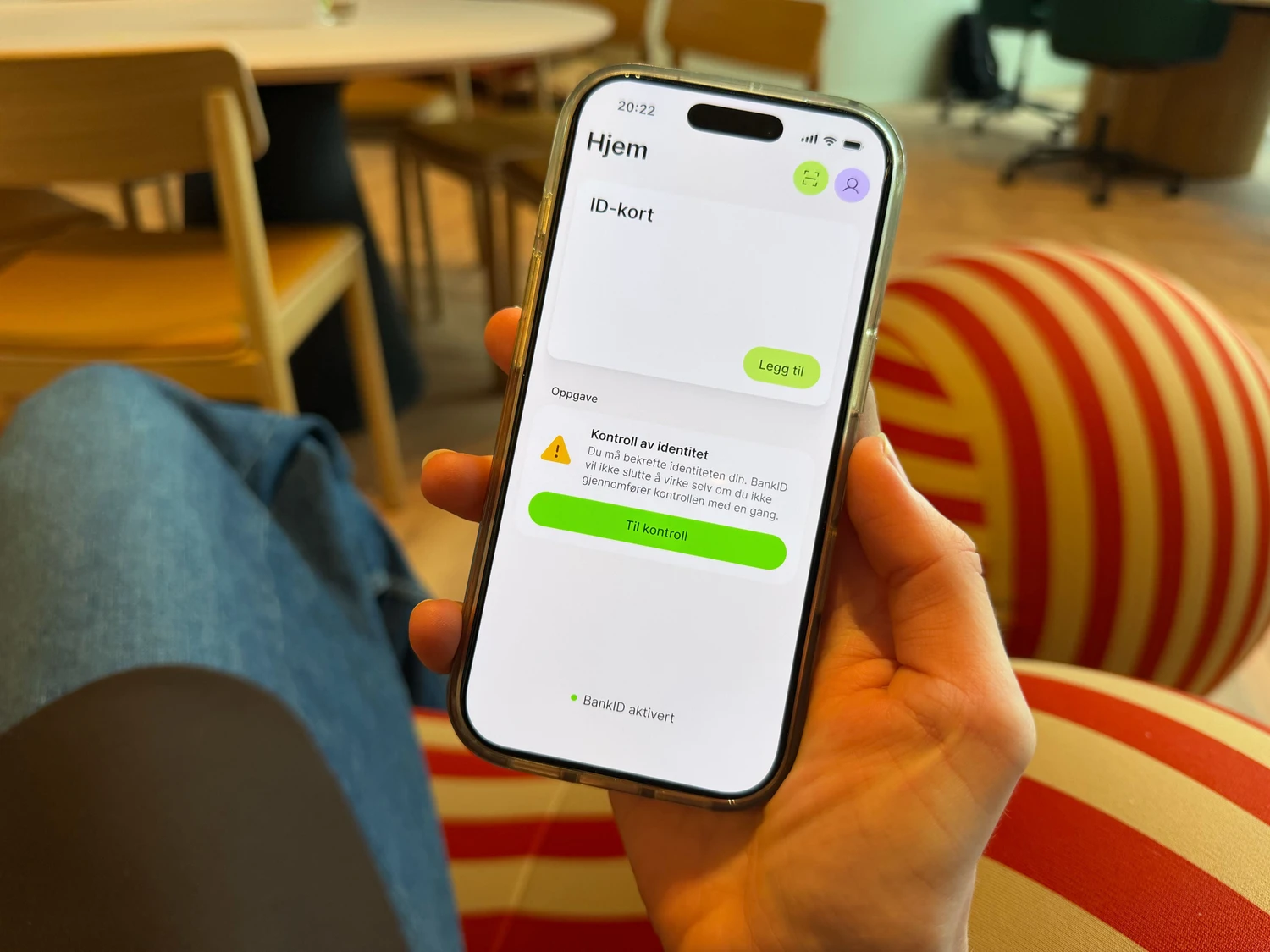
Users of the BankID app who have not previously scanned a passport or national ID card in the app need to identify themselves again. You will not lose BankID if you are unable to verify your identity right now.
Foreign passport or ID document?
If you are unsuccessful with the digital scan, you do not need to do anything further and can use the app as before. You will receive a new notification in the app if you need to do a check.
In the coming period, many users will be notified in the BankID app to confirm their identity by scanning their passport or national ID card, along with their face. This is part of stricter security requirements and will make BankID even more reliable in confirming that you are who you claim to be.
The BankID app will continue to be safe to use for those who need help obtaining a new passport or national ID card. We are also exploring alternative solutions for groups who are unable to obtain these.
Who needs to re-identify themselves?
Many users of the BankID app who have not previously scanned a passport or national ID card in the app will need to verify their identity again. This is because we need to document that the BankIDs in use are actually being used by the correct person.
You will soon be asked to confirm your identity when you open the BankID app. Notifications will be sent in batches, and you will receive a message in the app when it is your turn.
People under the age of 18 do not need to carry out an ID check at this time, but work is underway to provide a technical solution for this group.
Are you a foreign national?
If you have a foreign passport or an ID document that is machine-readable, you can scan it in the BankID app by selecting “Check only”. If you are unsuccessful with the digital scan, you do not need to do anything else and can use the app as before. You will receive a new message in the app if you need to do a check.
What do you need to do?
- The ID check is carried out by scanning a passport or national ID card in the BankID app. This allows us to link you as a person to your BankID.
- Completing the ID check digitally is optional. If you do not wish to use the digital solution in the BankID app, you can instead contact your bank to have the necessary identity check performed in another way.
- Make sure you have a valid passport or national ID card available at home. If you do not have a valid passport or national ID card, you have time to obtain one.
- You must also ensure that you have the latest version of the BankID app. Go to Google Play or the Apple App Store to update the app to the latest version.
- When it is your turn, you will find information in the app about what you need to do.
- Follow the steps as instructed. If you need help scanning your passport or ID card, or completing other steps in the process, you can ask someone you trust.
Confirming your identity in the BankID app on your mobile is quick, secure, and efficient. If you have any questions, you are welcome to contact your bank.
Got a new phone?
If you change phones, you'll need to reactivate the app. Learn more about how to get started with the app again.
Questions and answers
If you have a foreign passport or ID document, you can scan this in the BankID app if it is valid and machine-readable.
Foreign citizens with a Norwegian national identity number can also apply for a national ID card without travel rights.
You are asked to:
- scan passport or national ID card
- scan your face
Everything happens digitally in the BankID app. A step-by-step description of the process can be found at bankid.no.
Completing the ID check digitally is optional. If you do not wish to use the digital solution in the BankID app, you can instead contact your bank to have the necessary identity check performed in another way.
This is done to ensure that it is the same person in the physical and digital worlds. Comparing the identity document with the facial image reduces the risk of identity theft, fraud, and other crime.
Some foreign citizens are having problems confirming their identity in the BankID app.
If you don’t have a valid passport or national ID card, you still have time to order a new one. Your BankID can be used as before until it is in place.
Foreign citizens with a Norwegian national identity number can also apply for a national ID card without travel rights.